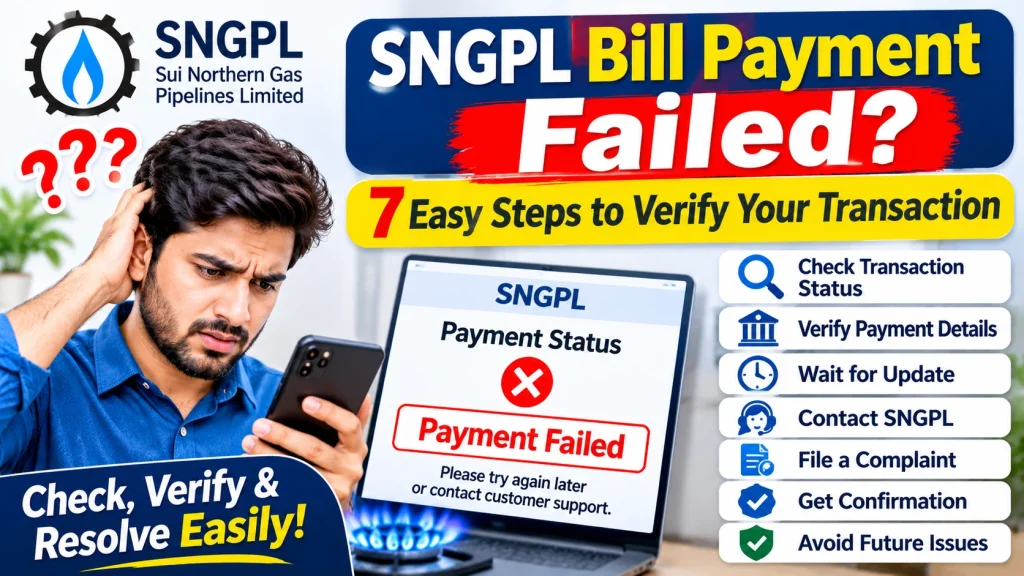
SNGPL Bill Payment Failed? 7 Easy Steps to Verify Your Transaction
Paying your gas bill online is convenient, but sometimes a transaction may fail, remain pending, or show an error even after money has been deducted from your bank account or mobile wallet. Such situations can create confusion, especially when your SNGPL bill due date is approaching.
If you are facing an SNGPL Bill Payment Failed issue, do not immediately make another payment. First, check your transaction history, confirm whether the amount was deducted, and verify the payment status through the available official channels. This can help you avoid duplicate payments and identify whether the transaction was completed, reversed, or is still being processed.
In this guide, you will learn seven practical steps to verify an SNGPL payment, what to do if money has been deducted, how to report a failed transaction, and which records you should keep.
What Does SNGPL Bill Payment Failed Mean?
An SNGPL bill payment failure means that your attempt to pay a gas bill did not receive a successful confirmation from the payment service. The issue may occur through a mobile wallet, internet banking, a bank application, an ATM, or another supported payment channel.
There are different possible transaction statuses:
- Failed: The payment was not completed successfully.
- Pending: The transaction is still awaiting confirmation or processing.
- Successful: The payment channel has confirmed the transaction.
- Reversed: A deducted amount has been returned to your account.
- Paid on SNGPL record: The payment has been reflected in the company’s billing system.
Remember that a successful message from a bank or wallet and an updated payment status on the SNGPL record are not always displayed at the same moment.
Why Does SNGPL Bill Payment Fail?
Several reasons can cause an online gas bill payment problem:
- Internet Connection Problem: A weak connection may interrupt the payment process.
- Bank or Wallet Service Issue: Temporary maintenance or technical problems can prevent a transaction from completing.
- Incorrect Consumer Details: Entering an incorrect consumer or account number may result in a payment error.
- Insufficient Balance: Your wallet or bank account may not have enough available funds.
- Transaction Timeout: The payment request may time out before confirmation is received.
- Daily Transaction Limit: Your bank or wallet may have a transaction limit.
- Delayed Payment Confirmation: The payment channel and billing system may take time to exchange transaction information.
Understanding the possible reason can help you choose the correct next step instead of paying repeatedly.
SNGPL Bill Payment Failed? 7 Easy Steps to Verify Your Transaction
Follow these steps if your gas bill payment shows failed, pending, or unsuccessful.
Step 1: Check Your Bank or Wallet Transaction History
First, open the same payment application or banking service you used to pay the bill.
Go to the transaction history and find the SNGPL payment attempt. Check its current status and note the transaction date, time, and amount.
Look for messages such as:
- Successful
- Failed
- Pending
- Reversed
- Processing
Do not rely only on a notification that appeared when you submitted the payment. The transaction history is a better place to review its latest status.
Step 2: Confirm Whether Money Was Deducted
The next step is to check your available account balance and transaction details.
There are two important situations:
If money was not deducted: The payment may not have been completed. Check the error message and contact your payment provider if the problem continues.
If money was deducted: Do not immediately pay the bill again. Save the transaction details and ask your bank or wallet provider whether the payment was completed, is pending, or will be reversed.
This step is especially important because making another payment before checking the first transaction can lead to duplicate payments.
Step 3: Save Your Transaction ID and Payment Receipt
Every payment attempt should have a transaction reference, receipt, or confirmation record, depending on the service used.
Save the following information:
- Transaction ID or reference number.
- Payment date and time.
- Amount deducted.
- SNGPL consumer or account number.
- Payment method used.
- Transaction status.
- SMS or email confirmation.
Take a screenshot of the transaction details if the application allows it. Never share your banking password, wallet PIN, OTP, or other confidential login information with anyone.
Step 4: Verify Your SNGPL Bill Payment Status
After checking your payment provider’s record, verify whether the payment has appeared in the SNGPL billing system.
Visit the official SNGPL website:
You can also use the official SNGPL ConnectOn application, which provides services such as bill viewing, online payments, complaint registration, and complaint history.
Check the relevant bill or payment information using the consumer details requested by the official service. If the bill still shows unpaid, keep your payment receipt and transaction reference for further verification.
Do not assume that a payment has failed only because the bill status has not changed immediately.
Step 5: Contact Your Bank or Mobile Wallet Provider
If your payment is pending, failed, or money has been deducted without confirmation, contact the bank or wallet provider that processed it.
Explain that you attempted to pay an SNGPL gas bill and provide the transaction reference through the provider’s verified support channel.
Ask these questions:
- Was the transaction successfully processed?
- Was the payment sent to the biller?
- Is the transaction still pending?
- Will the deducted amount be reversed?
- Is a complaint or dispute request required?
Keep the complaint or reference number given by the payment provider. This record can help if you need to contact SNGPL later.
Step 6: Register a Complaint with SNGPL
If your bank or wallet confirms that the payment was processed but the SNGPL record still shows unpaid, contact SNGPL for verification.
You can use the complaint facilities available through the official website or SNGPL ConnectOn application. SNGPL also lists customer-service and complaint channels for consumers.
When submitting your complaint, provide:
- Your consumer or account number.
- Payment date and amount.
- Transaction ID.
- Name of the bank or wallet.
- Payment receipt or screenshot.
- A short explanation of the issue.
Ask SNGPL to verify whether the payment has been received and correctly posted to your gas account. Keep the complaint number and any response you receive.
Step 7: Check the Updated Status Before Paying Again
After contacting the payment provider or SNGPL, check the transaction and bill status again.
If the payment is confirmed and reflected in the SNGPL record, keep the receipt for future reference.
If the transaction has been reversed and the bill remains unpaid, you may need to make a fresh payment through an available authorized channel. Before doing so, confirm that the earlier amount has actually been returned or that the original payment was not completed.
If your due date is approaching, ask the relevant bank or SNGPL office for guidance about the payment deadline. Do not assume that a pending transaction automatically extends the due date.
What Should You Do If Money Is Deducted but the SNGPL Bill Shows Unpaid?
This is one of the most confusing payment situations. Your bank or wallet may show a deduction, while the gas bill still displays an unpaid status.
Follow this approach:
- Do not make another payment immediately.
- Save the transaction receipt and reference number.
- Contact your bank or wallet provider to confirm the transaction.
- Ask whether the payment was forwarded to SNGPL.
- Contact SNGPL if the payment provider confirms successful processing.
- Submit the required evidence and obtain a complaint number.
- Follow up until you receive a clear payment-status update.
The bank or wallet provider can investigate the transaction on its side, while SNGPL can verify whether the amount was received and credited to your consumer account.
Official SNGPL Bill Payment Methods
SNGPL lists several payment channels for consumer convenience. These include:
- Internet banking.
- Mobile banking.
- SNGPL mobile application.
- Branchless banking applications such as Easypaisa and JazzCash.
- ATMs.
- Scheduled banks.
- NADRA kiosks.
- GPOs and NPOs.
Available services may depend on the payment provider and its current arrangements. Always confirm the biller name and consumer details before approving a payment.
Official payment information: https://www.sngpl.com.pk/
Tips to Avoid SNGPL Online Payment Problems
You can reduce the chances of transaction errors by following a few precautions:
- Use a stable internet connection.
- Check your consumer number before submitting payment.
- Confirm the biller name and amount.
- Keep sufficient funds in your account.
- Avoid pressing the Pay button repeatedly.
- Do not close the payment screen before receiving a confirmation.
- Save the receipt and transaction ID.
- Use official applications and verified payment services.
- Never share your OTP, wallet PIN, or banking password.
These simple steps can help make your next SNGPL online bill payment easier to track.
Frequently Asked Questions
1. What should I do if my SNGPL bill payment fails?
Check your bank or wallet transaction history first. Confirm whether money was deducted, save the transaction details, and contact the payment provider if the status is unclear.
2. Why was money deducted but my SNGPL bill is still unpaid?
The payment may be pending, or the payment provider and SNGPL billing system may not yet show matching records. Ask your bank or wallet to verify the transaction, then contact SNGPL if successful processing is confirmed.
3. Should I pay my SNGPL bill again after a failed transaction?
Not immediately. First confirm whether the previous transaction failed, was reversed, or was successfully processed. Paying again without verification may result in a duplicate payment.
4. How can I verify my SNGPL payment online?
Check your bank or wallet transaction history and then review the relevant bill or payment information through SNGPL’s official website or ConnectOn application.
5. What information is needed to report a failed SNGPL payment?
You may need your consumer number, payment amount, transaction ID, payment date, payment method, and a receipt or screenshot.
6. Can I complain to SNGPL if my payment is not updated?
Yes. You can use the complaint facilities provided through SNGPL’s official website or mobile application. Include your transaction details and ask the company to verify the payment.
7. Is a pending SNGPL payment considered paid?
A pending transaction should not automatically be treated as a confirmed payment. Check with your payment provider and SNGPL to establish whether the amount was successfully received and credited.
Conclusion
An SNGPL Bill Payment Failed message does not always mean that your money has been lost or that the transaction is permanently unsuccessful. The payment may have failed, remained pending, been reversed, or completed without an immediate update to the billing record.
The safest approach is to check your transaction history, confirm any deduction, save your payment receipt, and verify the bill status through official SNGPL services. If the issue remains unresolved, contact your bank or wallet provider and register a complaint with SNGPL when necessary.
Always verify the previous transaction before paying again. Keeping accurate records can help you resolve payment problems and avoid unnecessary duplicate payments.