
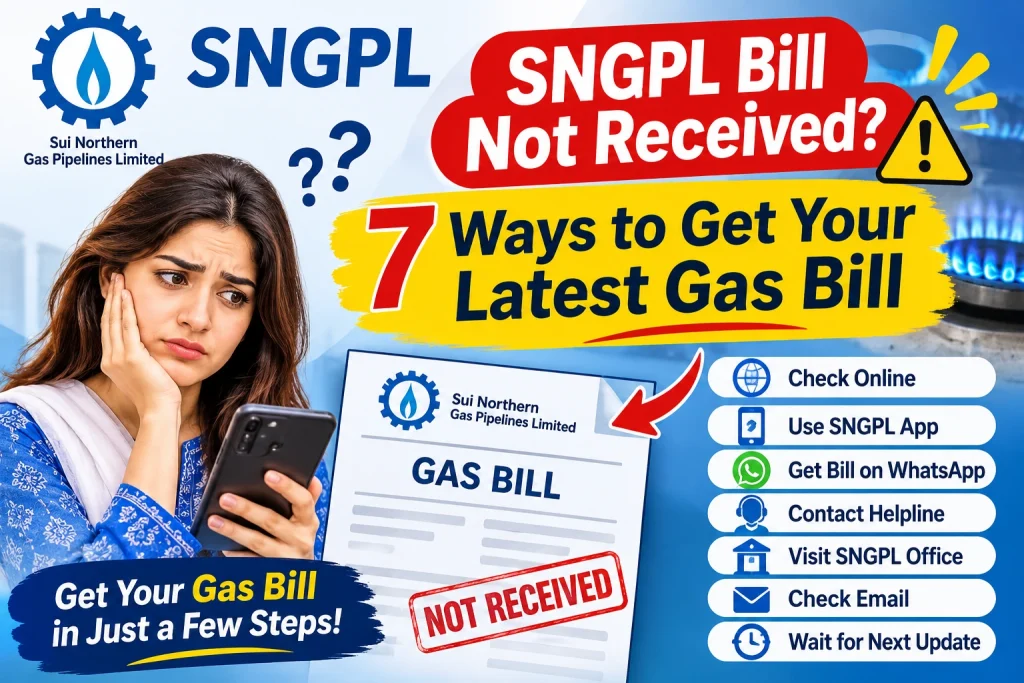
SNGPL Bill Not Received? 7 Ways to Get Your Latest Gas Bill
Waiting for your monthly gas bill but it has not arrived at your home? If your SNGPL Bill Not Received problem is causing concern, you do not need to wait for the printed copy to check your latest billing details. You can use the available online services and your previous gas bill to find your account information and access your latest bill, if it has been generated.
A missing paper bill does not automatically mean that your gas connection has been disconnected or that no payment is due. You should check your latest billing information and confirm the due date to avoid missing the payment deadline.
In this guide, you will learn seven practical ways to get your latest SNGPL gas bill, download a duplicate copy, identify common delivery problems, and contact the company if the issue continues.
Why Is Your SNGPL Gas Bill Not Received?
There can be several reasons why your monthly bill does not reach your home. Sometimes the issue is related to delivery, while in other cases the latest bill may not yet be available online.
Common reasons include:
- Delay in physical bill delivery
- Incorrect or incomplete mailing address
- Changes in the local bill distribution process
- Temporary delay in bill generation or online updates
- Problems identifying the correct gas connection
- A misplaced bill after delivery
Whatever the reason, checking your latest bill online is a useful first step.
SNGPL Bill Not Received? Common Reasons for Missing Bills
How to Fix the SNGPL Bill Not Received Problem
What to Do If Your SNGPL Bill Is Not Received Online
1. Check Your SNGPL Bill Online
The first thing to do when your paper bill does not arrive is check the official SNGPL website.
Follow these steps:
- Open the official SNGPL website at https://www.sngpl.com.pk/.
- Look for the available online billing or consumer services option.
- Follow the instructions provided for checking your gas bill.
- Enter the required consumer or account information, if requested.
- Submit the details and check whether your latest bill is available.
The available website options may change, so follow the instructions currently displayed on the official website.
2. Use Your Previous Gas Bill
If you do not remember your consumer details, take out an older SNGPL gas bill. It can help you identify your gas connection and find the information required by an online bill-checking service.
Look for the consumer number or account identification details printed on the bill. Carefully note the number and use the exact information requested by the official service.
Do not confuse the consumer number with the meter number. They are different details and may not be interchangeable.
3. Download a Duplicate SNGPL Bill
If your latest bill is available through an official online service, you may be able to view or download a duplicate copy.
After opening the available bill:
- Review the consumer information.
- Confirm the billing month.
- Check the total payable amount.
- Note the payment due date.
- Use the available download or print option.
If the bill opens in your browser, you may also be able to use the print menu and select Save as PDF.
Keep the saved copy on your phone or computer for future reference.
4. Check Your Bill Through Available Customer Services
If you cannot access your bill online, use the customer service options listed on the official SNGPL website.
Explain that your monthly paper bill has not arrived and ask how to access the latest billing information. Keep your consumer details available because the company may need them to identify your connection.
Use official contact information rather than phone numbers shared by unknown websites or social media pages.
5. Verify Your Gas Connection Address
An incorrect or outdated address can cause problems with physical bill delivery.
Check the address printed on your previous gas bill. If you have moved or your address details have changed, ask SNGPL how to update the relevant customer record.
You can also confirm whether your house number, street, area, and other address details are recorded correctly.
Do not assume that an online bill issue and a delivery issue have the same cause. The company may need to investigate them separately.
6. Contact SNGPL to Report the Missing Bill
If your bill repeatedly fails to arrive, contact SNGPL through its official customer support channels.
When reporting the issue, keep the following information ready:
- Consumer or account identification number
- Name registered with the connection
- Complete service address
- Latest available billing month
- A brief explanation of the delivery problem
Ask the company to check the bill delivery issue and guide you about obtaining your latest bill.
If you receive a complaint or reference number, save it for future follow-up.
7. Check Your Bill and Pay Before the Due Date
Do not wait for the printed bill if the online copy is already available. Review the payable amount and due date so you can arrange payment on time.
Use a bank, mobile wallet, or other payment channel authorised for SNGPL bill payments. After paying, save the transaction receipt or confirmation.
Remember that downloading a duplicate bill does not mean that the bill has been paid. Payment must be completed separately.
What to Do If Your Latest SNGPL Bill Is Not Showing Online?
Sometimes you may visit the online service but still cannot find your latest gas bill. Try the following checks:
| Possible Issue | What You Can Do |
|---|---|
| Incorrect account number | Compare the entered details with your previous bill |
| New bill not generated | Check again after the billing update |
| Temporary website issue | Refresh the page or try later |
| Wrong account information | Verify the details printed on your old bill |
| Continued online problem | Contact SNGPL through official channels |
If your details are correct and the latest bill still does not appear, ask SNGPL to verify your billing record.
Can You Pay Your SNGPL Bill Without Receiving the Paper Copy?
You may be able to pay without the printed bill if you have the correct account information and an authorised payment service supports your connection lookup.
Check the available payment options through your bank or mobile wallet. Before confirming a transaction, verify that the account details and payable amount belong to your gas connection.
Always keep the payment confirmation. If the payment does not appear in your account after the expected processing period, contact the payment provider or SNGPL for assistance.
How to Avoid Missing Your SNGPL Bill in the Future
These simple habits can help you manage your monthly gas bills:
- Keep a digital copy of your previous bill.
- Save your consumer or account details securely.
- Check your latest bill online when it becomes available.
- Verify your registered service address.
- Note the due date every month.
- Save payment receipts after completing transactions.
- Report repeated delivery problems to SNGPL.
These steps can make bill checking easier and reduce the chance of overlooking a payment deadline.
Frequently Asked Questions
1. What should I do if my SNGPL bill is not received?
First, check whether your latest bill is available through the official SNGPL online services. You can also use your previous bill to find your account details or contact SNGPL to report repeated delivery problems.
2. Can I download my SNGPL bill without the original copy?
If you have the required account details and the online service provides your latest bill, you may be able to view, download, or print a duplicate copy.
3. How can I find my SNGPL consumer number?
Check an older gas bill. Look for the consumer number or account identification field printed near the upper section of the bill.
4. Why is my SNGPL bill not showing online?
The latest bill may not have been generated or uploaded yet. Incorrect account information or a temporary website issue can also prevent the bill from appearing.
5. Will I still have to pay if my paper gas bill does not arrive?
A missing paper bill does not automatically remove your payment responsibility. Check your latest billing record and due date through official channels.
6. How can I report repeated SNGPL bill delivery problems?
Contact SNGPL through the customer support information provided on its official website. Share your consumer details and registered address and explain the repeated delivery issue.
Conclusion
If your SNGPL Bill Not Received problem continues, do not rely only on the paper copy delivered to your home. Start by checking your latest bill online, using your previous gas bill to find the required account details, and downloading a duplicate copy if available.
If the bill is still missing, verify your registered address and report the issue through official SNGPL customer service channels. Most importantly, check your payable amount and due date so that a delivery problem does not cause you to miss your payment deadline.